// Steeply code using IR remote

            // Include the necessary libraries for the Servo motor and IR remote
            #include IRremote.h
            #include Servo.h

            // Assign each object to its pin on the Arduino
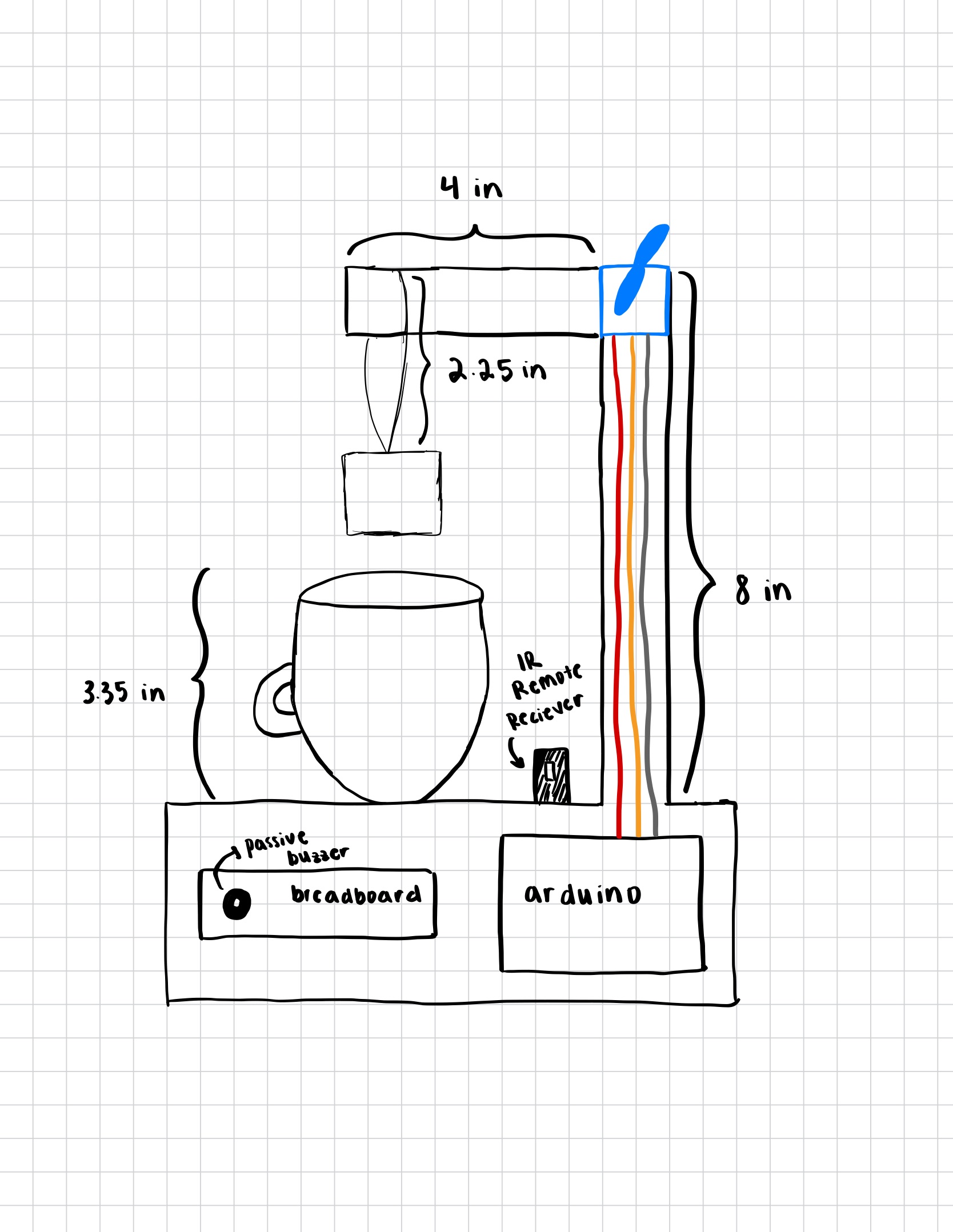
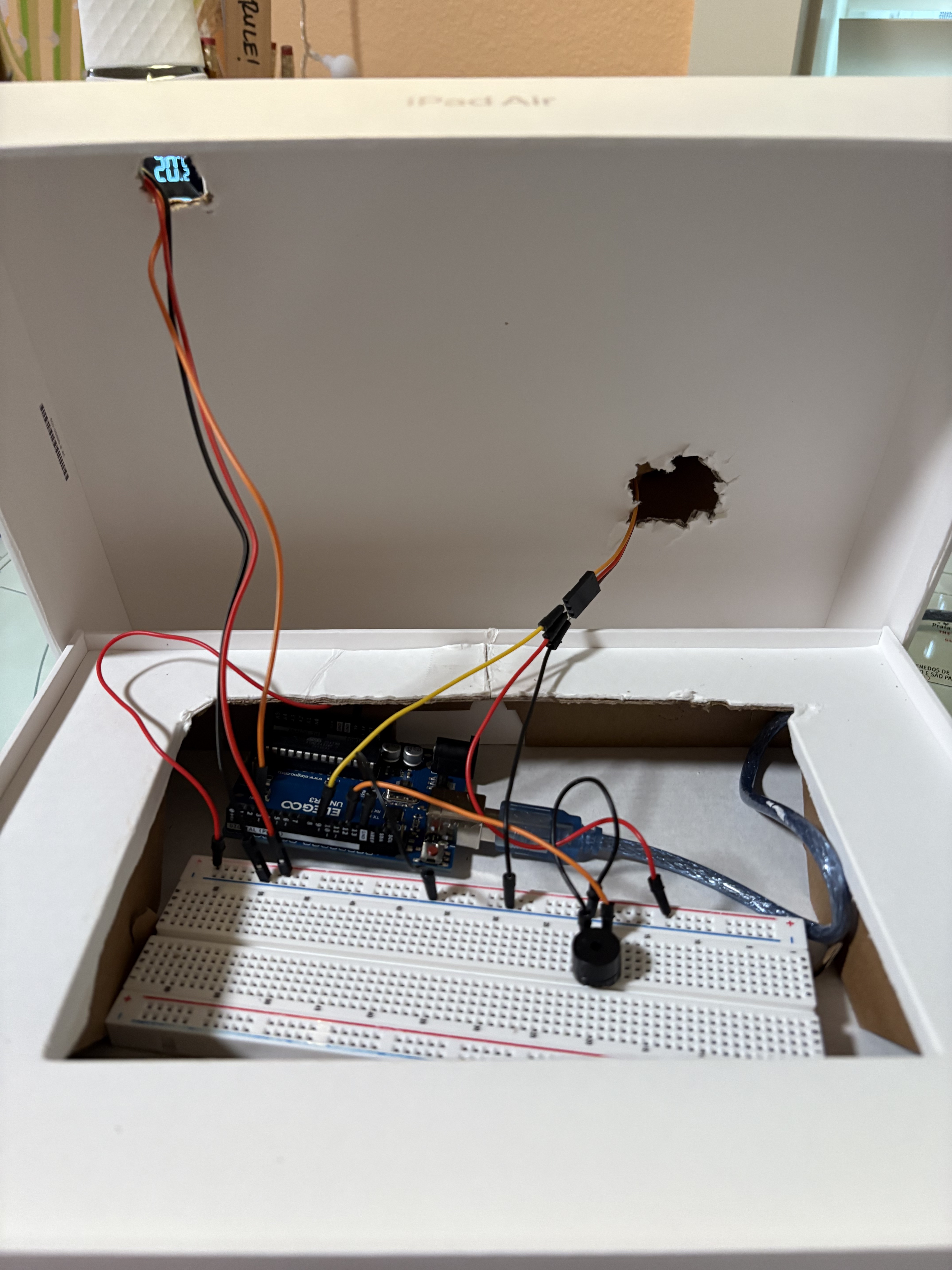
            const int IR_RECEIVE_PIN = 3;     // IR receiver OUT pin
            const int servoPin = 9;           // Servo pin
            const int buzzerPin = 12;         // Passive buzzer pin

            // Create servo object
            Servo teaServo;

            // Pre-set tea steep times based on tea type: green, herbal, or black
            // Using 'UL' makes the number an Unsigned Long, which matches Arduino's
            // millis() timing type. This ensures long delays work correctly!
            // U = unsigned = positive integer only
            // L = long = 32-bit integer on Arduino
            const unsigned long GREEN_TIME  = 120000UL;   // 2 minutes
            const unsigned long HERBAL_TIME = 480000UL;   // 8 minutes
            const unsigned long BLACK_TIME  = 300000UL;   // 5 minutes

            // Set the two servo positions that I will be using
            const int UP_POSITION = 90;      // Tea bag lifted
            const int DOWN_POSITION = 0;     // Tea bag lowered

            // Have a default tea selection
            unsigned long selectedSteepTime = GREEN_TIME;   // default green

            // Create a boolean variable to track the state of the button to prevent
            // automatic repeating of the cycle
            bool steepInProgress = false;     // Prevents repeating cycle

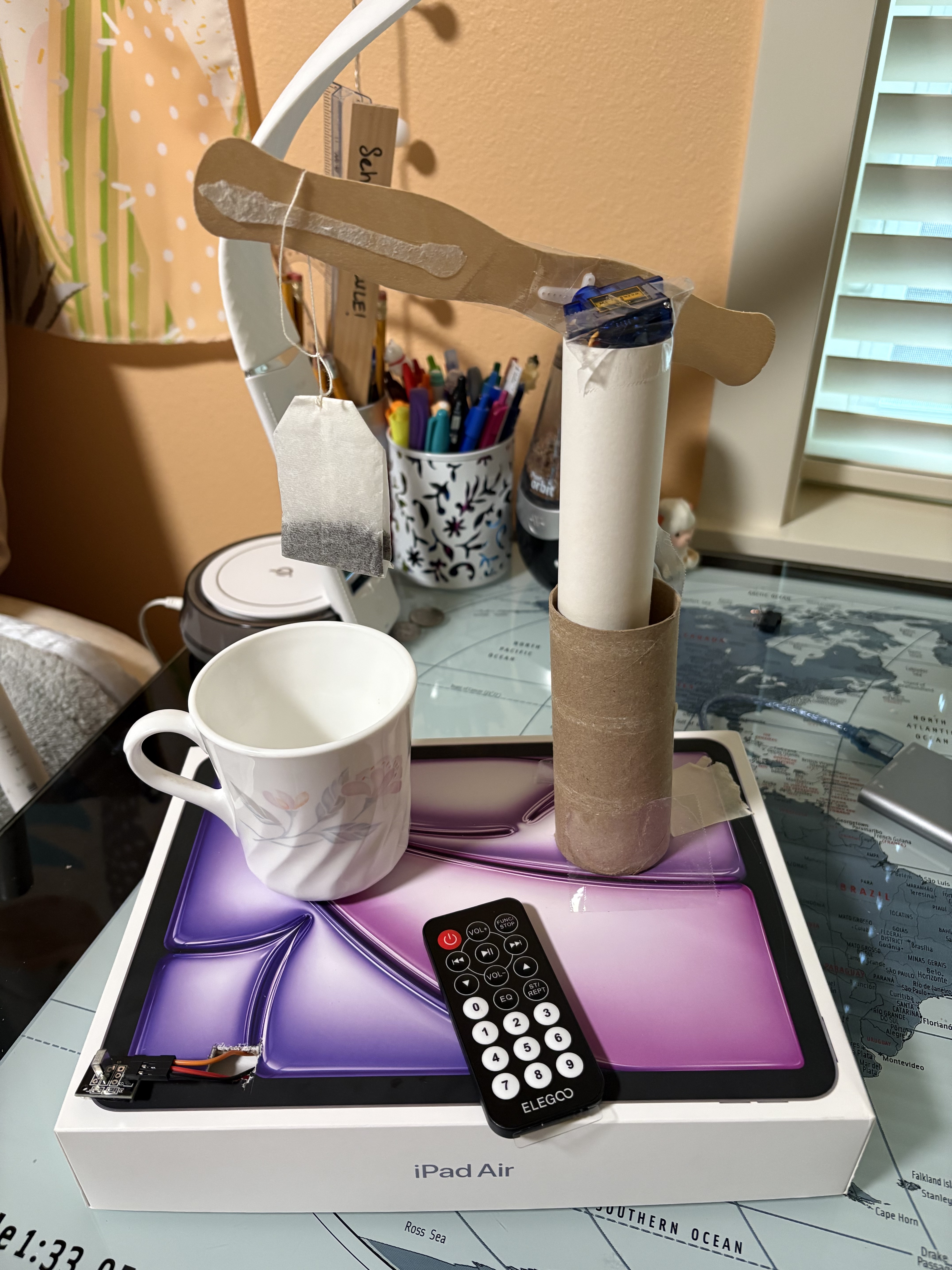
            // IR Remote button values according to my serial monitor
            const int BTN_GREEN = 12;   // user pressed "1"
            const int BTN_HERBAL = 24;  // user pressed "2"
            const int BTN_BLACK = 94;   // user pressed "3"
            const int BTN_PLAY = 64;    // user pressed "PLAY"

            // Setup function
            void setup() {
              Serial.begin(9600);

              // Start IR receiver
              IrReceiver.begin(IR_RECEIVE_PIN, ENABLE_LED_FEEDBACK);

              // Attach servo and set its initial position
              teaServo.attach(servoPin);
              teaServo.write(UP_POSITION);

              // Print this message to the serial monitor to help with debugging
              // and to know exactly what step the computer is at in the code
              Serial.println("Steeply Ready! Use remote to choose tea type.");
            }

            // Main loop
            void loop() {

              // Check if any IR signal has been received
              if (IrReceiver.decode()) {

                // If a button on the remote has been pressed, print exactly which
                // button was pressed
                int command = IrReceiver.decodedIRData.command;
                Serial.print("Button pressed: ");
                Serial.println(command);

                // Figure out what tea has been selected via the remote
                // Set the steep time according to which button has been pressed
                if (command == BTN_GREEN) {
                  selectedSteepTime = GREEN_TIME;
                  Serial.println("Tea type selected: GREEN (2 min)");
                }

                if (command == BTN_HERBAL) {
                  selectedSteepTime = HERBAL_TIME;
                  Serial.println("Tea type selected: HERBAL (8 min)");
                }

                if (command == BTN_BLACK) {
                  selectedSteepTime = BLACK_TIME;
                  Serial.println("Tea type selected: BLACK (5 min)");
                }

                // Start steeping tea if the user has pressed "play" on the remote
                if (command == BTN_PLAY && !steepInProgress) {
                  steepInProgress = true;
                  startSteeping(selectedSteepTime);
                }

                // Prepare IR receiver for next signal
                IrReceiver.resume();
              }
            }

            // Function to start the tea steeping process
            void startSteeping(unsigned long steepTime) {
              Serial.println("Starting steeping process");

              // Lower the tea bag slower than the default servo speed
              Serial.println("Lowering tea bag slowly...");

              // Decide direction: +1 if need to increase, -1 if need to decrease
              int step;
              if (UP_POSITION < DOWN_POSITION) step = 1;
              else step = -1;

              // Move from UP_POSITION toward DOWN_POSITION one degree at a time
              for (int pos = UP_POSITION; pos != DOWN_POSITION; pos += step) {
                teaServo.write(pos);
                delay(15);   // the delay affects the speed of the motion!
              }
              // Ensure final exact position
              teaServo.write(DOWN_POSITION);

              delay(500); // brief pause once fully lowered

              // Wait for steep time
              Serial.print("Steeping for ");
              Serial.print(steepTime / 1000);
              Serial.println(" seconds");

              delay(steepTime);

              // Now lift the tea bag slowly (reverse direction)
              Serial.println("Lifting tea bag slowly...");

              // Reverse step for lifting (invert the direction)
              step = -step;

              for (int pos = DOWN_POSITION; pos != UP_POSITION; pos += step) {
                teaServo.write(pos);
                delay(15);
              }

              // Ensure final exact position
              teaServo.write(UP_POSITION);

              delay(500); // pause once lifted

              // Play the buzzer melody when tea is steeped and the bag is
              // lifted out of the cup
              playMelody();

              // Reset for the next cup of tea
              steepInProgress = false;
              Serial.println("Steep complete! Ready for next tea");
            }

            // Function to create a little melody for the passive buzzer
            // when steeping is over. I wanted to do this so that the sound
            // isn't so jarring or "unattractive" when the tea is done steeping!
            void playMelody() {
              Serial.println("Playing melody...");

              // Set the tone of the buzzer by mapping it to certain notes
              // small delay to create a small break between each note
              tone(buzzerPin, 660, 200);   // E5
              delay(250);

              tone(buzzerPin, 880, 200);   // A5
              delay(250);

              tone(buzzerPin, 990, 200);   // B5
              delay(250);

              tone(buzzerPin, 1320, 350);  // E6
              delay(400);

              noTone(buzzerPin);
            }